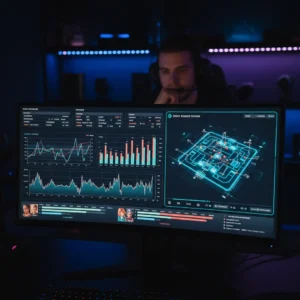
Fortnite Tracker Debuts AI Coaching and Chapter 7 Heatmaps
Step up your game with Fortnite Tracker’s new real-time AI performance grading and detailed Chapter 7 drop-spot heatmaps.
Fortnite is fast. Really fast. If you hesitate for a split second, you are back in the lobby waiting for the next match. For years, players have relied on basic stats to figure out what went wrong. They looked at kill-death ratios, win rates, and average placement. But those numbers only tell part of the story. They do not show why you lost that box fight or why you keep dying before the first storm circle closes.
Tracker Network is trying to change that. The creators of the widely popular Fortnite Tracker database have just rolled out a major update. This new suite of tools brings real-time AI performance grading and highly detailed drop-spot heatmaps designed specifically for the chaotic new Chapter 7 map. It is a massive step forward for competitive players who want to analyze their gameplay without paying for an expensive private coach.
The AI Coach Sitting on Your Shoulder
The centerpiece of the update is the new AI performance grading system. Instead of waiting for a match to end and manually reviewing your replay files, the tracker now analyzes your gameplay live. It uses machine learning models to evaluate your decisions as they happen. The system grades players on a scale from F to S-tier across several key categories, including mechanical speed, aim precision, resource management, and positioning.
“We wanted to make professional-level analysis accessible to everyone,” says Sarah Jenkins, a lead software engineer at Tracker Network. “Most players cannot afford to hire a personal coach to review their VODs. Our AI does the heavy lifting. It identifies exactly where your mechanics broke down during a fight.”
If you get pushed by an aggressive player and choke your wall edits, the AI notices. After the match, it does not just show you a death screen. It gives you a breakdown of your edit success rate under pressure. It compares your building speed during that fight to your average performance. It even suggests specific creative maps to help you practice the exact skills you struggled with. It is instant, objective feedback.
Mapping the Chapter 7 Drop Spots
With the arrival of Chapter 7, the island has completely changed. New points of interest, vertical terrain, and fresh loot distributions mean old drop strategies are completely useless. Finding a reliable landing spot has become a massive headache for competitive trios and solo players alike. That is where the new Chapter 7 drop-spot heatmaps come in.

The tool aggregates anonymous data from millions of matches to create a living map of the island. It shows you more than just where people are landing. You can filter the heatmap by chest spawn rates, vehicle availability, and average survival times. If you want to find a quiet corner with decent loot where you have a 90% chance of surviving the first three minutes, the map will highlight those exact spots in green.
On the flip side, if you are looking to farm high-kill games, you can easily identify the hottest zones on the map. The tool even tracks “first engagement” zones. These are the specific choke points where players are most likely to run into each other within sixty seconds of landing.
A Real Advantage for Competitive Teams
For semi-pro and professional players, these tools are already changing how they prepare for tournaments. Marcus “Viper” Vance, a competitive Fortnite player who participated in the private beta for the new features, says the heatmaps completely changed his trio’s strategy.
“We had a favorite drop spot that we thought was pretty safe,” Vance explained. “But when we looked at the tracker’s heatmaps, we realized our survival rate there was only 42%. We were constantly getting pinched by players rotating from a nearby landmark we had ignored. We adjusted our drop by just fifty meters, and our average placement points shot up immediately. It takes the guesswork out of our rotations.”
The tools are designed to run smoothly in the background. The overlay is lightweight, meaning it won’t tank your frame rate during intense end-game moving zones where every frame matters. Players can access the detailed breakdowns directly through the Tracker Network desktop app or on their mobile devices between matches.
As Fortnite continues to evolve, the gap between casual players and the competitive elite grows wider. Tools like these might just help close that gap, giving aspiring pros the data they need to compete on the big stage.