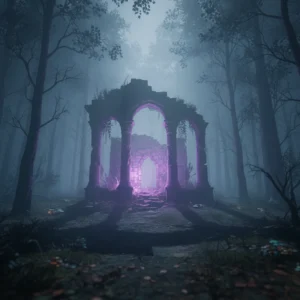
Fortnite Servers Down: Matchmaking Disabled for v36.30
Fortnite matchmaking is disabled as Epic Games takes servers offline for the highly anticipated v36.30 update ahead of Fortnitemares 2026.

Fortnite Goes Dark: Matchmaking Disabled
Fortnite players trying to squeeze in one last Battle Royale match this morning are out of luck. Epic Games has officially disabled matchmaking. It is all part of the preparation for the highly anticipated v36.30 update. If you were in the middle of a heated firefight, you have likely been booted back to the lobby by now.
This is standard procedure. Epic always takes the game offline before deploying major patches. But this one feels a bit different. Rumors have been swirling for weeks about what this specific build will bring. Today, we finally get some answers. The focus is clear: Fortnitemares 2026 is just around the corner.
What Time Do the Servers Go Down?
The downtime began early this morning. Matchmaking was disabled at 3:30 AM ET. Exactly thirty minutes later, at 4:00 AM ET, the servers went completely offline. Players worldwide are currently seeing the dreaded “Server Offline” message when trying to log in.
How long will the wait last? Usually, Fortnite maintenance takes anywhere from two to four hours. If everything goes smoothly, you can expect the game to be back up by 7:00 AM ET or 8:00 AM ET. However, major seasonal updates sometimes face unexpected hurdles. If Epic encounters any database issues or deployment snags, the downtime could stretch into the late morning. Keep an eye on the official Fortnite Status social media accounts for real-time updates.
Fortnitemares 2026 Takes Center Stage
The big draw of patch v36.30 is the preparation for Fortnitemares 2026. Fortnite’s annual Halloween event is always a massive hit with the community. Epic Games loves to pull out all the stops for the spooky season. We are talking about eerie map overhauls, creepy new cosmetics, and the return of some fan-favorite items.
Data miners have already started digging through the update files. Early leaks suggest we might see some iconic horror franchises making their way to the island. While Epic has kept the official list under wraps, players are already guessing which classic villains will get the skin treatment this year. There is also talk of new gameplay mechanics. We might see spooky fog rolling across the map, zombie-like husks spawning in specific zones, and mysterious portals opening up in popular drop spots.
Returning Weapons and Spooky Loot
What would Fortnitemares be without the classic loot pool shake-up? The v36.30 update is expected to unvault some of the game’s most beloved seasonal weapons. The Pumpkin Launcher is almost a guarantee. It is slow, loud, and incredibly fun to use. We might also see the return of the Witch Broom, which offers a quick and vertical escape route during intense build fights.
In addition to the unvaulted weapons, expect new consumable items. Candy corn, hop drops, and pepper mints usually make a return, offering quick health boosts, speed buffs, or low-gravity effects. These small items can completely change the dynamic of late-game circles, making matches far more chaotic than usual.
Fixing Common Post-Update Glitches
Big updates often bring a few bugs along with them. If you try to log in the second the servers go live, you might run into long queue times. Don’t panic. This is just the matchmaking system handling the sudden influx of millions of eager players. If you get stuck in a queue, the best thing to do is simply wait it out. Restarting your game repeatedly might actually push you further back in the line.
Another common issue after a major patch is the “checking for updates” loop. If your game gets stuck on this screen, a quick system reboot usually does the trick. PC players should also verify their game files through the Epic Games Launcher if they experience crashes on launch. It takes a few minutes, but it fixes any corrupted files that might have slipped through during the download process.