Fortnite Down: Epic Investigates Login Issues Before Fortnitemares
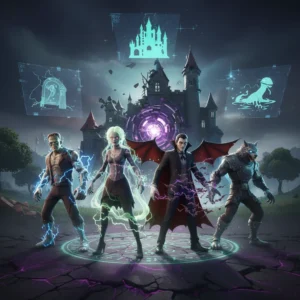
Fortnite servers are experiencing major login failures and extended downtime just as the highly anticipated Fortnitemares 2026 update is set to launch.
Gamers trying to drop into Fortnite this morning were met with a frustrating surprise. Instead of loading into the lobby, they faced spinning wheels and error messages. Epic Games took the servers offline early Tuesday for scheduled maintenance to roll out the highly anticipated Fortnitemares 2026 update. But what was supposed to be a routine patch has turned into an extended blackout, leaving millions of players locked out.
The Core Issue: Epic Acknowledges Login Failures
The trouble started almost immediately after the update window opened. As the patch files began propagating, the Epic Games Status account on X acknowledged that something was seriously wrong. “We are currently investigating issues preventing players from successfully logging into Fortnite,” the developer posted. Hours later, the issue persists.
The official server status page shows several core services, including matchmaking and login portals, listed as “Under Maintenance” or “Degraded Performance.” Usually, scheduled downtime for a major update lasts between two and three hours. This outage has stretched far past that window, causing panic in the community.
Why Fortnitemares 2026 Has Fans So Eager
This is not just any regular update. Fortnitemares is historically one of Fortnite’s most popular seasonal events. Every October, the battle royale island undergoes a massive, spooky transformation. This year, rumors of major horror crossovers have driven anticipation to a fever pitch. Leakers have hinted at collaborations with classic cinematic monsters, new supernatural weapons, and the return of the fan-favorite Horde Rush mode.
For many, the timing of the crash could not be worse. Players had set their alarms early, hoping to grab the new cosmetics and explore the map changes before starting their day. Instead, they are staring at static screens. “I’ve been trying to connect for three hours now,” wrote one frustrated Reddit user in a massive megathread. “Every time it says ‘Checking for updates’ and then just boots me back to the start screen. It’s incredibly annoying.”
What Is Behind the Delay?
Epic Games has not given a definitive timeline for when the game will be playable again. Server stability issues during major seasonal launches are common, but this outage is dragging on longer than usual. The developer’s engineers are reportedly working on a backend fix, but deploying a major update to tens of millions of active users simultaneously always carries risks. The sheer volume of traffic trying to hit the servers at once likely compounded the technical bottleneck.
While players wait, data miners have already begun digging through the offline game files. They have uncovered a treasure trove of upcoming content. Some of the leaked assets suggest we will see revamped points of interest on the map, covered in thick fog and eerie decorations. There are also hints of a new vampire boss weapon and several spooky variants of classic skins.
How to Check Fortnite Server Status
If you are currently stuck on the loading screen, there is little you can do on your end. Reinstalling the game or restarting your console won’t bypass the server block. Epic has advised players to keep an eye on their official status page for real-time updates. Until the green light is given, the battle bus remains firmly parked.
This extended downtime serves as a reminder of the challenges of managing a live-service giant. When things go right, it feels seamless. But when a major update stumbles, the silence is deafening. We will continue to monitor the situation and update this story as soon as Epic Games provides more information on the server recovery.
- Check the official Epic Games Public Status Page.
- Follow @FortniteStatus on X for real-time developer posts.
- Avoid attempting multiple rapid logins, which can trigger temporary IP bans.