Fortnite Servers Going Offline for Major Fortnitemares Update
Epic Games announces extended server downtime for the Fortnitemares update. Find out when matchmaking shuts down and when you can play again.
Late-Night Blackout: When Do Fortnite Servers Go Offline?
Fortnite players are about to face a brief period of forced exile from the battle royale island. Epic Games has officially confirmed a lengthy server downtime window to make way for the highly anticipated Fortnitemares 2026 update. If you plan to squeeze in a few late-night matches, you will need to adjust your schedule. The transition won’t be instant, but it will require some patience.
According to the developers, matchmaking will be disabled starting at 1:30 AM ET (5:30 AM UTC). This is a standard precautionary move by Epic. It ensures active matches can finish up safely without getting abruptly cut off when the servers go fully dark. Just thirty minutes later, at 2:00 AM ET, the servers will shut down completely, kicking everyone offline.
Why Is This Downtime Longer Than Usual?
Regular patch maintenance usually takes a couple of hours. However, Epic has warned the community to expect a significantly longer wait this time around. Major seasonal events require massive file overhauls. The developers are not just adding a few skins; they are changing the map’s atmosphere, introducing complex gameplay mechanics, and deploying a heavy load of fresh assets. This takes time to test and deploy globally.
While Epic has not given a precise minute-by-minute timeline for when the game will be playable again, historical data suggests the game could remain offline for four to five hours. If everything goes smoothly, servers should start coming back online around 6:00 AM or 7:00 AM ET. However, players should keep their expectations in check. Massive updates often run into unexpected deployment hurdles, which can easily push the launch window back.
What to Expect from Fortnitemares 2026
So, what justifies this long wait? Fortnitemares has always been Fortnite’s crown jewel when it comes to seasonal events. This year, rumors and early teasers suggest a massive crossover lineup, alongside the return of fan-favorite weapons that players have been begging for.
- The Pumpkin Launcher: The iconic explosive weapon is set to return with its spooky laughing audio effect.
- Horde Rush Mode: The beloved PvE co-op mode will make a comeback, challenging squads to fight off waves of monsters.
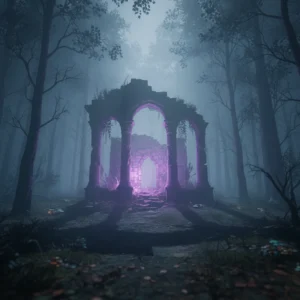
- Map Transformations: Expect thick fog, creepy landmarks, and haunted points of interest scattered across the island.
Epic is also expected to launch a brand-new battle pass or a mini-event pass featuring classic horror movie icons and fresh original designs. These assets take up a lot of storage space, which explains the hefty download sizes players will see once the update goes live on their consoles and PCs.
Expected Patch Sizes by Platform
While Epic never gives exact file sizes beforehand, leaks suggest this update will be particularly heavy. PC and next-gen console players on PS5 and Xbox Series X should prepare for a download that could easily exceed 15 GB. Nintendo Switch and mobile players will likely see a more compressed version, but they should still clear out some storage space just in case. Running out of space mid-download is a frustration you want to avoid.
How to Prepare for the Update
To get back into the action as quickly as possible, players should make sure their devices are set to auto-update. PlayStation, Xbox, Nintendo Switch, and PC launchers usually allow you to pre-download or queue the patch as soon as Epic pushes the files to the CDN servers. This typically happens about an hour or two into the downtime.
Don’t wait until the servers are back up to start your download. Millions of players will be hitting Epic’s content delivery networks at the exact same time, which can severely choke download speeds. Getting the patch installed early means you can jump straight into the spooky matchmaking queues the moment the green light is given. We will monitor the server status throughout the morning and provide updates if Epic runs into any technical snags.