Epic Investigates Huge Fortnite Outage During Fortnitemares Launch
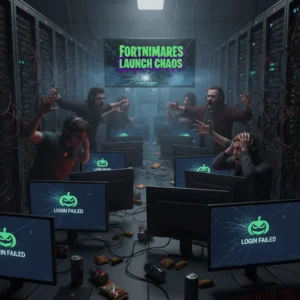
Epic Games is scrambling to fix widespread matchmaking errors and extended server downtime during the launch of the Fortnitemares 2026 update.
It was supposed to be a day of spooky fun. Instead, Fortnite players got a scary dose of server errors.
On Tuesday morning, Epic Games rolled out its highly anticipated Fortnitemares 2026 update. But things went sideways almost immediately. Millions of players trying to log in were met with endless loading screens, matchmaking failures, and massive queue times that left the gaming community in a state of collective frustration.
A Promising Launch Disrupted
The problems started shortly after the scheduled maintenance window began. Epic took the servers offline early in the morning to deploy the new patch. Usually, these updates take a few hours. This time, the downtime dragged on far longer than expected, leaving players staring at loading screens well into the afternoon.
By mid-day, the Fortnite Status official account on X confirmed they were actively investigating the hiccups. Epic acknowledged they were looking into reports of matchmaking issues and extended login wait times. They asked the community for patience, but Fortnite fans are rarely patient when a major seasonal event drops.
The culprit appears to be the sheer volume of players trying to squeeze through the digital gates at once. Fortnitemares is historically one of Fortnite’s most popular events. This year’s update promised a fresh batch of Halloween-themed skins, a revamped spooky map, and the return of popular limited-time modes. The hype was massive, and the servers felt the weight.
Widespread Connection Failures
Players reported seeing several different errors across various platforms. Some got stuck on the ‘Checking for updates’ screen. Others made it to the main lobby, only to find the matchmaking queue paused or disabled entirely. For those who did manage to get into a queue, wait times skyrocketed past the one-hour mark.

The issues were not isolated to a single console. The connection failures affected players across all major platforms, including:
- PlayStation 5 and PlayStation 4
- Xbox Series X/S and Xbox One
- PC via the Epic Games Store
- Nintendo Switch
- Mobile and cloud gaming services
While some PC players reported finding matches after multiple attempts, console users seemed to face the worst of the lockout, often getting booted back to the title screen after waiting in line.
Community Reaction and Technical Hurdles
Community forums quickly filled with complaints, memes, and troubleshooting theories. On Reddit, users shared screenshots of 90-minute wait times that simply reset to zero without launching the game. Many expressed disappointment over wasting planned free time or days off work that they had set aside specifically for the event’s launch.
Historically, Fortnitemares brings unique gameplay mechanics, such as player-versus-environment modes where squads team up to fight waves of monsters. The heavy server-side calculations required for these modes often put a heavier load on Epic’s cloud infrastructure than standard battle royale matches. Industry analysts suggest that a combination of these complex game modes and record player numbers created a perfect storm for the servers.
What Happens Next?
By late afternoon, Epic announced they were deploying a hotfix to stabilize matchmaking. They began slowly letting players back into the game in waves to prevent another crash. While services are gradually returning to normal, some players still report intermittent disconnects and high latency.
Epic Games has a history of offering in-game compensation when major outages disrupt play. During past extended outages, players received free cosmetic items or Supercharged XP weekends to make up for lost time. Epic has not announced any official make-good items yet, but the community is already calling for them.
For now, players are advised to monitor official status pages before trying to log in. If you are stuck in a queue, Epic suggests waiting it out rather than restarting your game, as closing the application will reset your place in line.